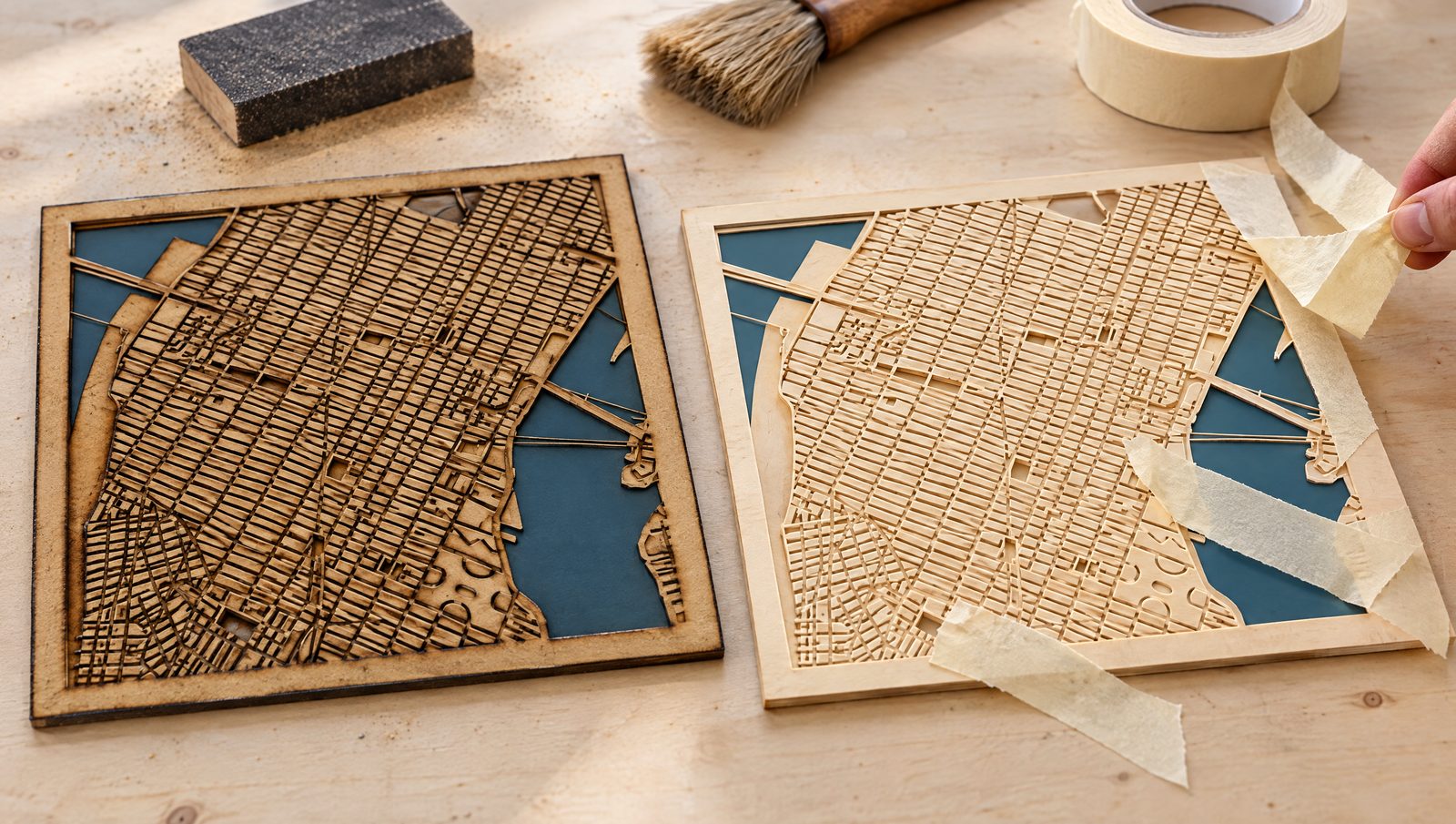
Transparency: some links in this guide are affiliate links. If you buy through them, Maperivo may earn a commission at no extra cost to you. It does not change what we recommend.
“Burn marks” are not one problem. Soot on the face, charred edges, dark corners and grid marks on the back each have their own cause, and a diode and a CO2 laser need different fixes for some of them. Below: the marks by type, a cause-and-fix table for both machines, and the places where published advice disagrees.
Quick answer
- Engrave with little air, cut with a lot. OMTech suggests about 0.5–3 psi for engraving and 10–15 psi for cutting wood. Trotec keeps acrylic at up to about 0.2 bar.
- Mask the top face for engraved text. Skip it for fine photo shading. Tape does not protect cut edges.
- Lift the sheet off the honeycomb and clean the bed to stop marks on the back.
- Use laser plywood with interior or “white” glue. Resin and exterior glue char more.
- Diode: overscan on, GRBL
$32=1, higher acceleration. CO2: lower Min Power for dark corners. - Delete duplicate lines. A doubled line is cut twice and is a fire risk.
What kind of mark are you looking at?
CutLaserCut, a UK cutting bureau, sorts heat marks into four groups: edge burns, top-surface marks from fumes, “laser tails” where a cut starts, and reverse-side marks from the bed. Add dark corners and line ends, which come from how the head moves. Name the mark before you touch the settings.
| Mark | Where it shows | Main cause | First thing to try |
|---|---|---|---|
| Edge char | Brown to black cut edges | Power too high, speed too low (FSL) | Faster speed or less power; laser plywood |
| Surface soot | Brown haze around cuts and text | Fumes dragged over the surface (CutLaserCut) | Air assist, extraction, masking |
| Laser tails | A dark notch where a cut starts | The entry point gets “the most sustained blast of heat” (CutLaserCut) | Start the cut where a mark will not show |
| Back-side marks | Grid or scorch on the underside | Bed contact, residue and reflection (CutLaserCut, OneLaser) | Lift the work, clean the bed |
| Dark corners, line ends | Corners, ends of engraved lines | The head slows, so more energy lands in one place (LightBurn) | Min Power (CO2); acceleration and overscan (diode) |
CutLaserCut explains laser tails but publishes no fix. If a tail lands on a visible edge, move that shape's start point into a corner or waste area.
What causes burn marks, and how do you fix them on a diode and a CO2?
The causes run roughly in the order makers meet them. Where the fix differs between machines, the difference is the point.
| Cause | What you see | Diode fix | CO2 fix |
|---|---|---|---|
| Power too high, speed too low | Black, crumbly edges; wide kerf | Raise speed or lower power in a test grid; check that speeds are in mm/min | Same logic. FSL aims for “a rich amber color” |
| Smoke settling | Brown haze | Air assist, extraction, masked face | Air assist, exhaust, masked face |
| Head slows in corners | Burnt corners | GRBL has no Min Power outside grayscale. Raise X/Y acceleration to 100–500 (LightBurn) | Lower Min Power; on DSP controllers it applies at or below Start Speed |
| No overscan | Dark ends on engraved lines | Turn overscan on; you set it yourself | DSP controllers overscan automatically |
| Laser on while travelling | Burn trails between shapes | GRBL Laser Mode: $32=1 | Not applicable (GRBL setting) |
| Reflection from the bed | Marks on the back | Pins or magnets under the work; mask the back | Knife or slat bed, or spacers; mask the back |
| Resin or exterior glue | Dark, sticky edges; uncut spots | Laser plywood; avoid resinous wood | Same; Trotec recommends white-glued or laser plywood |
| Wrong focus | Wide, smoky kerf | Check the focus gauge with a ramp test | Ramp test; defocus only for darker engraving |
| Duplicate lines | Extra-dark, double-cut lines | LightBurn: Edit → Delete Duplicates | Same; TMU calls duplicates a fire hazard |
| Strong air on engraving | Uneven, blown engraving | Low or no air for fine engraving (xTool) | About 0.5–3 psi (OMTech) |
Sources: FSL, xTool, LightBurn documentation, OneLaser, CutLaserCut, Trotec, OMTech, Toronto Metropolitan University. Vendor advice is a claim, not a lab result.
Why do the same fixes work differently on a diode and a CO2?
Both machines burn wood the same way. They differ in light and in the controller.
- Wavelength and spot. CO2 works at 9 to 10.6 micrometres, a blue diode at about 450 nm (Thunder Laser). The diode beam comes from a flat, rectangular chip, so its spot is elliptical. Visible blue light is also why a diode cannot cut clear or blue acrylic.
- Controller. CO2 machines often use a DSP controller such as Ruida, with Min Power for slow sections and automatic overscan. Many diodes run GRBL, where you set overscan yourself and handle corners with acceleration (LightBurn).
- Frequency. On a CO2, pulse frequency is a lever against char (Trotec, Epilog). LightBurn's Material Test offers it only “if your laser supports them”. If your diode does not, power, speed and air are your levers.
- Speed. Diode cutting speeds are quoted per minute: xTool's own 40 W test cut 18 mm poplar plywood in 6 passes at 300 mm/min. CO2 speeds are quoted per second; xTool lists 1,200 mm/s as the P3's top speed.
- Air. xTool calls air assist “vital” for diodes. In its 1/4-inch plywood test, the cut went through only with air on.
One gap is worth saying out loud: we found no measured side-by-side test of diode and CO2 char on the same wood, so we make no “X % more char” claim. Machine habits are in our diode laser tips and CO2 laser tips.
How much air assist should you use?
Air blows flame and smoke out of the cut, keeps fumes off the lens and cools the edge. Too little leaves soot. Too much on an engraving blows debris around. The published numbers vary a lot:
Vendor recommendations, not independent tests. Trotec gives bar; converted at 1 bar ≈ 14.5 psi. An “up to” figure is drawn from zero. Source: OMTech, Trotec, Twotrees
Data table
| Job (source) | Pressure |
|---|---|
| Engraving wood (OMTech) | 0.5–3.0 psi |
| Cutting acrylic (Trotec, “up to approx. 0.2 bar”) | 0.0–2.9 psi |
| Cutting wood (OMTech) | 10.0–15.0 psi |
| Cutting wood (Twotrees) | 30.0–40.0 psi |
- Engraving: OMTech suggests about 0.5–3 psi “to keep the lens clean”; Twotrees uses 2 psi. xTool discourages nozzle air here, because strong airflow “can diminish the engraving effect”.
- Cutting wood: OMTech says 10–15 psi. Twotrees says 30–40 psi and notes that stock pumps give “barely 2–5 PSI”. CutLaserCut uses compressed air up to 4 bar (about 58 psi). Epilog: “Always use Air Assist when cutting.”
- Acrylic: gentle. Trotec uses up to about 0.2 bar with a large nozzle; OMTech warns that strong air “can blow vapor right back onto the material”.
- Distance: xTool keeps at least 2 mm between nozzle and material when cutting.
Switch air per layer if you can. In LightBurn, GCode users assign air assist to M7 or M8, so a pump wired to the controller runs on the cut layer only. Manual-switch pumps cannot; makers on the LightBurn forum name the xTool D and M series. The Maperivo map generator exports CUT, ENGRAVE and WATER as separate layers, so each gets its own air and power.
One LightBurn forum user cuts MDF at 60 psi on an unnamed machine: an anecdote, not a rule. Thunder Laser USA: air assist will not remove the risk of burning entirely, “but it helps in every instance”.
Should you mask the wood, and with what?
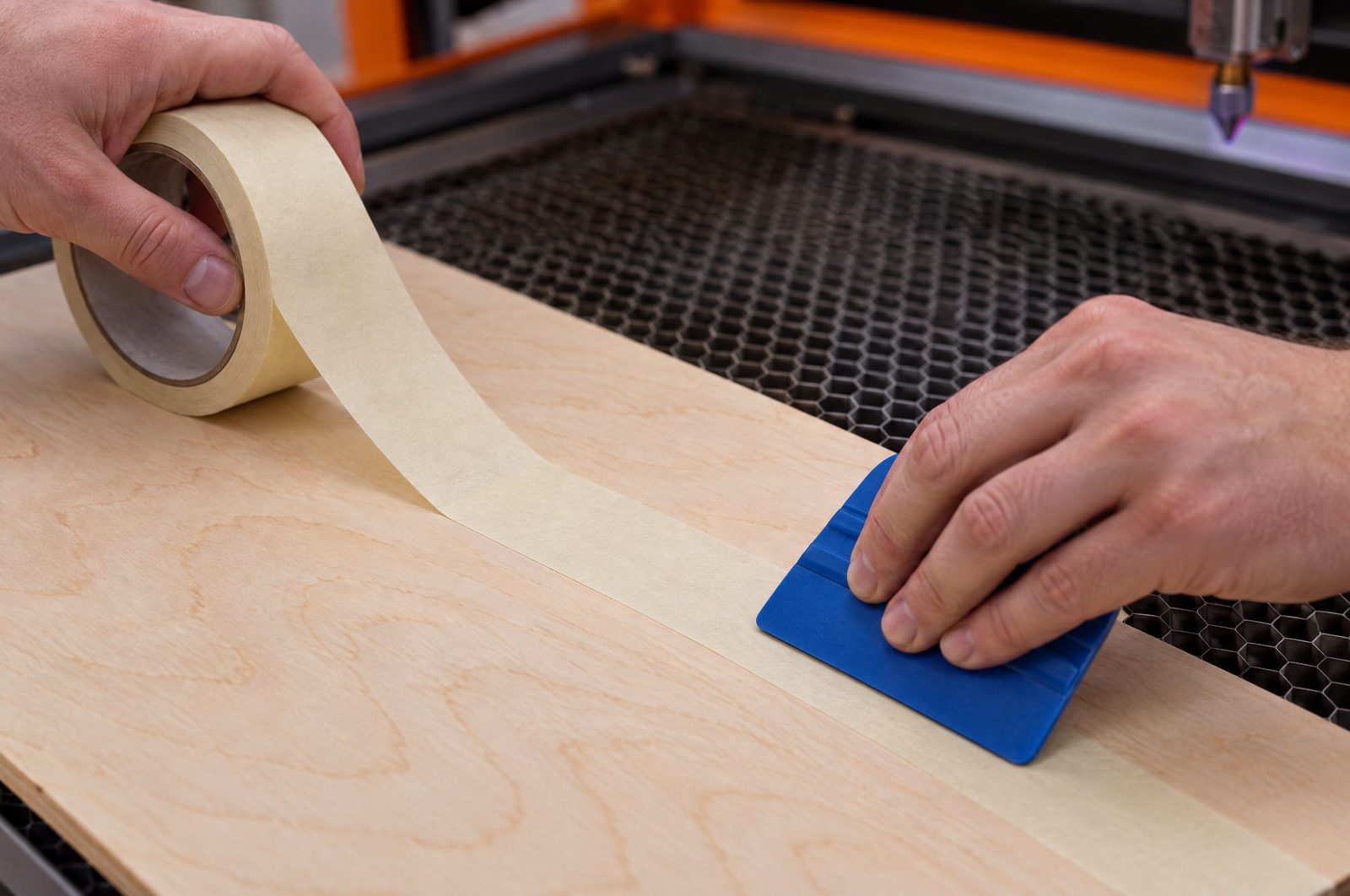
Masking protects the face, not the edge. xTool says tape stops surface scorch but is “ineffective for cut edges”, and it must go on without bubbles or overlaps. Thunder Laser USA presses transfer tape down with a plastic squeegee. On a map, engraved street names are the classic case: small letters in bare wood are exactly where residue shows. Mask, engrave, peel.
- When not to mask: for photo-style shading, Glowforge forum makers say masking “will get in the way of the really fine parts of the engrave”. Several sand afterwards instead.
- Mask the back too: OneLaser covers the whole back against flashback. A Sawmill Creek maker masks both sides for “pristine sharp edges, top and bottom”.
- Never PVC: PVC is banned at Stanford, and vinyl and PVC at Glowforge. If you use plastic transfer tape, confirm on the data sheet that it is PVC-free; we could not verify which brands are. Paper tape is the simple choice for wood.
One slow pass or several fast ones?
Makers disagree, and both sides have a reason.
- Several fast passes: “Low speed/High power/Few passes will finish the job faster, but leave much more charring and a wider kerf” (LightBurn forum, 3 mm MDF, 2021).
- One pass: “The general rule of thumb is 1 pass. Maximum comfortable power that you can run and 1 pass” (LightBurn forum, diode, 2023). The argument: char from earlier passes blocks the beam. Another user found that cutting too slowly chars even with air assist.
- Middle ground: Glowforge forum makers use full power at the fastest speed that still cuts through, or two passes.
Settle it on your machine: cut one small shape three ways on the same sheet (one slow pass, two passes at double speed, three at triple speed) and compare edge colour and kerf.
Focus changes smoke and darkness
Thunder Laser USA says a slightly diffuse beam makes less smoke. Trotec: defocusing about 0.5–2 mm makes wood engraving darker; Opt Lasers adds that a blurred beam “needs more power”. For thick stock, Twotrees moves the focus a third to half of the way into the wood, and LightBurn's “Z step per pass” shifts the focus with each pass on machines with a Z axis.
How do you stop marks on the back of the sheet?
They come from the bed. OneLaser: “metal reflects light”, so energy bounces off the honeycomb and scorches the underside. Sawmill Creek makers report honeycomb reflections and “no trouble at all with the knife table”.
- Slats: CutLaserCut prefers aluminium lamella slats, which barely touch the sheet, and keeps honeycomb for paper and fabric.
- Magnets or pins: OneLaser lifts the work “a few millimeters” on eight magnets of equal thickness.
- Spacers for acrylic: Epilog raises acrylic so it is “not touching the cutting table”; Trotec uses distance holders.
Thin map layers add one problem: small islands such as parks drop through a slat bed. LightBurn's Tabs/Bridges hold them “so objects do not fall out immediately”. Check the bed itself too: a Sawmill Creek member reports a knife blade that lodged upward and caught fire.
Keep it clean. CutLaserCut notes that residue on the bed transfers back onto the work, and Trotec calls wood resin “extremely sticky”. Stanford's guidance calls for a HEPA-filtered vacuum on the bed; the Harvard GSD Fab Lab wipes it with isopropyl alcohol after each use.
Does the wood itself cause the burning?
Often. Trotec: “The drier and more resin-free the wood, the brighter the cutting edge.” Thunder Laser USA says high-resin alder is “much more likely to scorch” than oak, while Epilog counts alder among the “fine-grain, low-resin” woods best for engraving. Sources disagree, so test your own board. Trotec warns that MDF edges “become very dark”.
In plywood, glue matters as much as wood. Trotec advises “white-glued plywood panels or plywood panels made specifically for laser processing”. The Laser Co, an Australian cutting service, gives a quick test: exterior plywood shows dark glue lines, interior plywood clear ones. Nervous System, a design studio, needed about four times more power for phenolic exterior glue than for urea-based interior glue. Thunder Laser adds that sheets of the same thickness can still differ, so test each new sheet. Diode owners have one more factor: a maker on the LightBurn forum found that whiter plywood engraved worse on a diode, and a reply explained that a whiter surface reflects more of the visible diode light. More in our plywood guide for diode and CO2.
We cut on an xTool P3 (80 W CO2, 915×458 mm bed) and on a Sculpfun S30 (33 W) diode. The layers of our 3D maps are poplar plywood; our cut-out maps are 6 mm A-grade Baltic birch (a finished example is on the cut-out map page of Viperys Wall Art, our own shop). Two machines and two woods are why this guide keeps a diode column and a CO2 column.
Wetting and pre-coating
xTool says water on the surface can prevent burn marks, and Thunder Laser USA claims thin plywood avoids scorching “altogether” if soaked before cutting. Water has a cost: a Glowforge maker who cleans parts with water uses only small amounts “to prevent warping”, and a warped layer will not sit flat in a stack. Thunder also suggests a coating before lasering, so burnt matter stays out of the grain. FSL warns that oil-based stains increase flammability. We found no source naming a specific pre-seal product for soot, so test any finish on scrap.
How do you clean soot and char off afterwards?
Start with the mildest method. Everything below comes from vendor guides or maker forums, not lab tests.
| Method | Best for | Who recommends it | Watch out |
|---|---|---|---|
| Sanding 180–220 grit, then up to 400 | Medium marks on flat faces | Snapmaker (OneLaser: 320–600) | Sand along the grain |
| Magic eraser or art gum eraser | Light surface soot | Snapmaker, OneLaser, Glowforge makers | Very little water: thin wood warps |
| Pumice liquid soap | Soot in engraved areas | Thunder Laser USA | Apply with a small brush or toothbrush |
| Stiff nylon brush | Loose char | OMTech | Scrub gently |
| Denatured alcohol or mineral spirits | Stubborn soot | OMTech, Thunder Laser USA | Thunder: “a last resort”, a tiny amount on a cloth |
| Acetone | Stubborn marks | OneLaser, LightBurn forum makers | “Light use only; test on scrap” |
| Diluted oxalic acid, 5–10 min, rinse | Deeper staining | OneLaser | Gloves, ventilation, dry thoroughly |
| White vinegar, waterless hand cleaner | Engraved wood | LightBurn forum makers | Pick a cleaner without ammonia |
Baking soda is not on the list. We found no source for it as a cleaner. The only thread is about pre-treating wood with it for contrast: it “leaves black sooth all over the engraved images”, and washing left the piece “dull”. Sanding, sealing and colour are covered in finishing laser-cut wood and epoxy resin.
How do you cut acrylic water layers without haze?
In our 3D maps the water is real epoxy resin in three shades of blue, poured by hand (Our craft). Many makers cut the WATER layer from blue or clear acrylic instead. That is a CO2 job: xTool support says a blue diode cannot cut clear, white or blue acrylic (more in our acrylic and plastics guide).
- Cast or extruded? Epilog and Trotec: extruded gives the flame-polished edge; cast cuts burr-free but not flame-polished. xTool support calls extruded “ideal for laser cutting”. xTool Academy says the opposite: “Cast acrylic offers a cleaner, polished edge.” Most sources say extruded; test your sheet.
- Haze: OMTech calls it “vaporized acrylic condensing back onto the surface” and fixes it with paper masking on both sides, gentle air, a thin film of dish soap and plastic polish. Thunder Laser's wiki: weak air gives a “clear glossy edge”, strong air a “bright white edge”.
- Cleaning: Trotec warns that alcohol and aggressive cleaners can bleach colours and make acrylic brittle. Use water, a mild cleaner and a damp cloth.
Sources disagree most on masking:
| Source | Paper masking | Plastic film | Their advice |
|---|---|---|---|
| Trotec | Can flame or char on top | Easier to cut | Keep film; avoid paper on the top face |
| Houston Acrylic (seller) | Preferred | Replace it | Swap film for paper on both sides |
| xTool Academy | OK for cutting | OK for cutting | Remove film before engraving |
| Epilog | Off the top to engrave | Off the top to engrave | Cutting: leave masking on both sides |
Where they mention engraving (xTool, Epilog), the top masking comes off first. For cutting, test one piece with each type.
A burn-free checklist before you cut a map
A dense street network means many close cuts in a small area, and heat builds up. Harvard GSD warns that acrylic is “extremely flammable, especially if cutting thick material or densely located part geometry”.
- Delete duplicates. Toronto Metropolitan University's lab: “Duplicate lines pose a potential fire hazard!” LightBurn's Edit → Delete Duplicates finds only ungrouped, identical objects, so check overlapping street segments by eye.
- Split the jobs: engrave with low air and a masked face; cut with high air.
- Add tabs to small islands.
- Lift the sheet and clean the bed.
- Test each new sheet with a small power and speed grid.
- Diode: overscan,
$32=1, acceleration. CO2: Min Power set so corners stay light. - Stay with the machine. Stanford: “Always attend the laser cutter while it is operating.”
Layer-by-layer settings are in our LightBurn settings for laser maps.
Sources
Checked 24 September 2026. We opened every page below and took each number from it. Vendor pages are claims, forum posts are maker reports; we ran no lab tests.
- CutLaserCut — Burn/heat marks and how we prevent them (21 Sep 2022)
- Thunder Laser USA — Preventing burning when laser cutting (19 Dec 2020)
- xTool — Avoid burn marks when engraving wood (29 Jun 2026)
- FSL — Preventing burning when laser cutting wood (29 Sep 2022)
- OneLaser — How to get rid of laser-cut burn marks (31 Jul 2026)
- LightBurn docs — Shared settings, Corner power, Overscanning, GRBL Laser Mode, Delete Duplicates, Material Test, Line settings
- Thunder Laser — CO2 vs diode lasers; Improve acrylic results (22 May 2026); Plywood guide
- xTool — Is air assist worth it? (13 Sep 2023), Air assist nozzle (4 Sep 2023), 40 W cutting tests (21 Jul 2023), P3 product page
- OMTech — Upgrade your laser engraver with air assist (12 Jul 2026)
- Twotrees — How to stop charring and burnt edges (23 May 2026)
- Trotec — Wood handling, Acrylic with flame-polished edges, Cleaning after engraving
- Epilog — Laser cutting acrylic, Fusion material settings (PDF), Wood engraving
- OMTech — Finish laser-engraved wood (25 Aug 2026), Fix hazing on acrylic (3 Sep 2025)
- Houston Acrylic — Masking for laser cutting acrylic (30 Aug 2024)
- xTool acrylic — xTool Academy: Laser cutting acrylic, Support: acrylic and diodes (20 Nov 2024)
- LightBurn forum — More passes or more power? (2021), Cutting with diode laser (2023), Diode air assist (2023), Cleaning wood after engraving (2022), Baking soda trick (2020), Whiter plywood and diodes (2023)
- Glowforge — Safety; forum: To mask or not (2022), MDF soot (2021)
- Sawmill Creek — Knife table vs honeycomb (2013), Reducing char (2020)
- Snapmaker — Remove laser burn marks from wood (31 Dec 2024)
- Plywood glue — The Laser Co (2017), Nervous System (2014)
- Opt Lasers — Engraving shade and beam focus
- Toronto Metropolitan University — Laser Cutting Basics, Fall 2025 (PDF)
- Stanford EHS — Laser cutter safety guidance (PDF) (rev. 26 Sep 2024)
- Harvard GSD Fab Lab — Training checklist (23 Oct 2024), Tutorials