A layered lake map is one of the most loved laser pieces for lake houses, anglers and sailors: each sheet is one depth step, so the deepest water sits lowest and the shoreline on top. The hard part is not the cutting, it is the depth data. This guide explains where bathymetry comes from, how it becomes laser layers, and what to watch when you cut and stack it.
Quick answer
- Data: use surveyed lake depth maps where they exist (many US states, Norway, Finland, the Great Lakes); elsewhere a modelled depth from the GLOBathy dataset.
- Layers: 4–6 water layers read well at 30 × 40 to 40 × 60 cm; each layer is a depth contour.
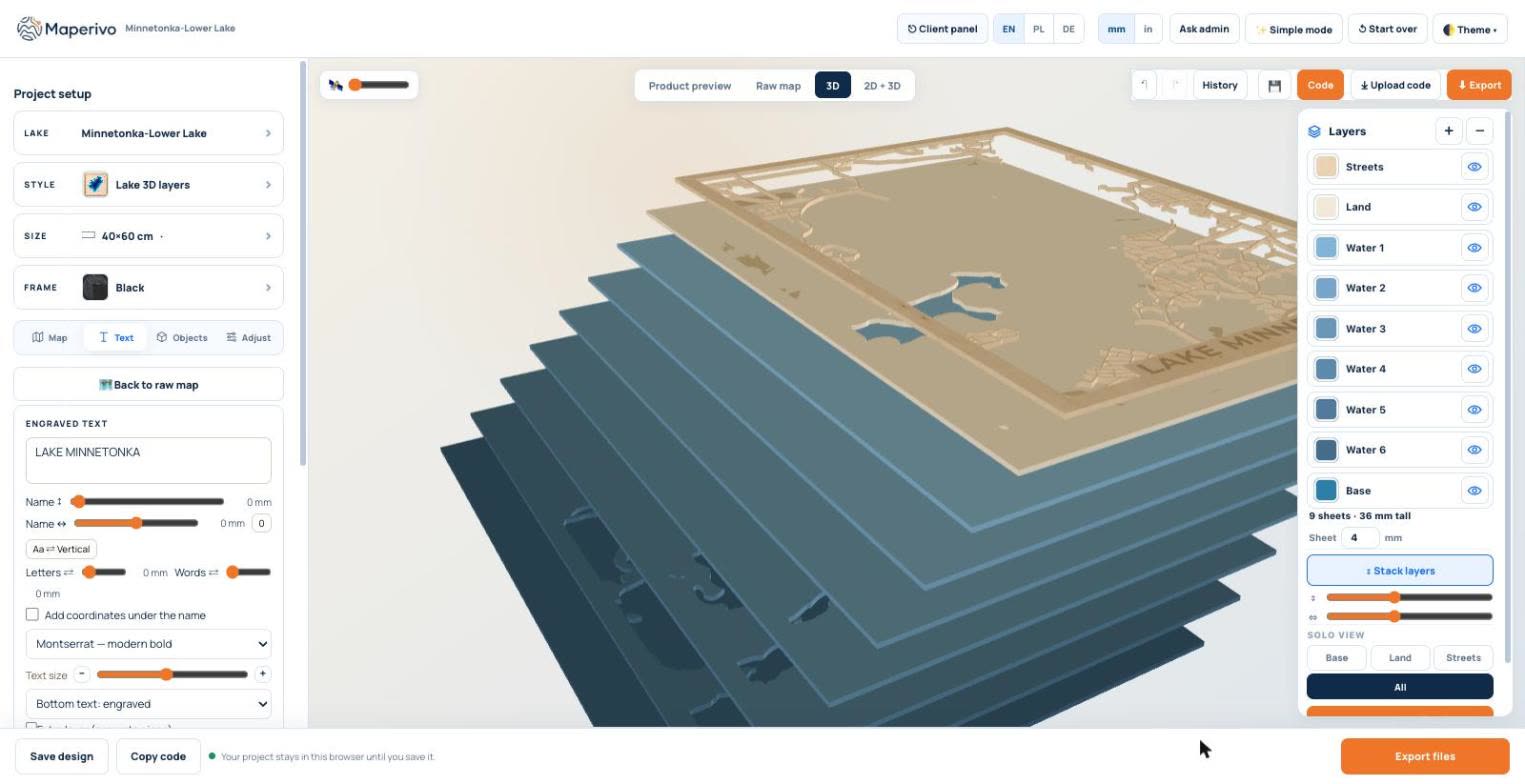
- Stack: base + water layers + land + streets. With 4 mm sheets, 9 sheets make a 36 mm piece.
- Colour: stain or paint the water layers from dark (deep) to light (shallow), or cut them from tinted acrylic.
- Not for navigation: it is decor, and the data licences say so.
Where lake depth data comes from
There are three kinds of sources, and the difference shows on the wall.
| Source | What it is | Where | Detail |
|---|---|---|---|
| Surveyed lake maps | Depth contours from sonar surveys by state agencies | Minnesota, Connecticut, Indiana, Michigan, Nebraska, New Hampshire, Maryland, Montana, Washington, Massachusetts; Norway (NVE); Finland (SYKE); Great Lakes (NOAA) | Real shape of the lake bed |
| Modelled depth (GLOBathy) | A global dataset of 1.4+ million lakes and reservoirs, built from the maximum depth and the shoreline | Worldwide | Smooth, follows the shoreline; good for decor |
| Ocean and sea depth | Global relief model (NOAA ETOPO) | Coasts and seas | Coarse; suits large areas |
Sources used by the Maperivo engine, as of 26 October 2026. Each survey carries its own attribution, and all are marked "not for navigation".
In Maperivo, Surveyed uses the sonar maps, Modelled uses the GLOBathy-based model, and Both (the default for new projects) uses surveys where they exist and the model everywhere else.
From depth data to laser layers
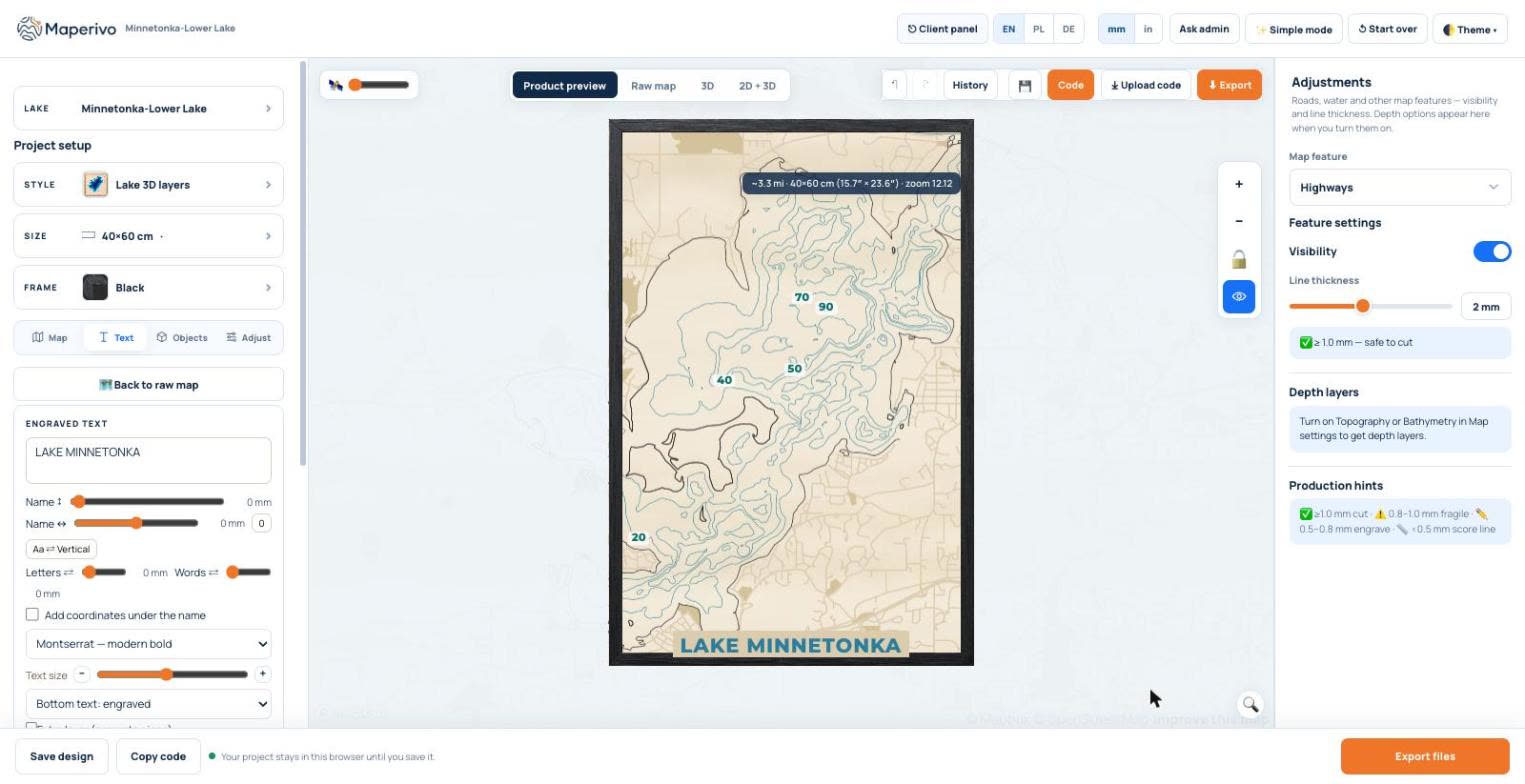
Each water layer is an outline at one depth: the 10 ft contour, the 20 ft contour and so on. Cut them from separate sheets and stack them, and the lake bed appears as steps. On the flat map the contours can carry depth labels and the lake name.
In 3D the same contours become a stack. In the example, six water layers (Water 1 to Water 6) sit on a dark base, with the land and street layers on top: 9 sheets, 36 mm with 4 mm plywood.
How many layers?
| Board size | Water layers | Why |
|---|---|---|
| 20 × 30 cm | 3–4 | Thin rings between contours get fragile on small boards |
| 30 × 40 cm | 4–5 | Clear steps without tiny slivers |
| 40 × 60 cm | 5–6 | Room for detail; 9 sheets in total with base, land and streets |
Our rule of thumb. Steep lakes need fewer layers than shallow, wide ones; check the narrowest ring in the 3D preview.
The engine keeps at least 2 mm between neighbouring depth contours and removes crumbs smaller than about 4 mm², so the thinnest rings are still cuttable.
Cutting and finishing tips
- Same sheet, same batch: cut all water layers from one batch of plywood so the thickness matches.
- Colour before gluing: stain each water layer a shade lighter than the one below, or use tinted acrylic.
- Glue from the base up, aligning on the outer frame; see glue, alignment and kerf.
- Resin on top gives a wet-water look; see finishing and epoxy resin.
- Attribution: put the data attribution on the back or a label (for example "Lake bathymetry: Minnesota DNR, not for navigation").
For a flat, single-sheet engraved lake map see how to make a lake depth map. To try a layered one, open the Laser Map Designer, choose Lake 3D layers and search for your lake.
Sources
Checked 26 October 2026. Every page below was opened and read.